
This page contains information on the Nokia E Series of mobile devices, powered by the Symbian operating system. These started appearing in 2006, and are aimed primarily at business users.
|
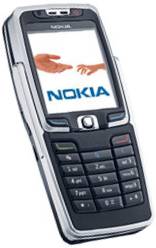
Slimline business quad-band phone that supports personal and corporate email such as Blackberry Connect. Supports access to MS Office documents Dimensions: 113mm x 43.5mm x 15.5mm Availability: NOW , free on o2 & Vodafone from MobileShop.
|
|
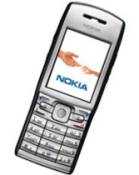
Business phone with speakerphone, conference calling and Wi-fi. Support corporate email such as Blackberry Connect, Goodlink and Visto Mobile Dimensions: 115mm x 49mm x 17mm Availability: NOW , free on o2 & Vodafone from MobileShop.
|
|
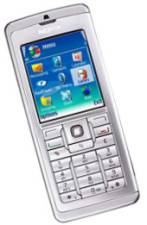
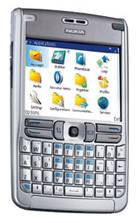
Headline: Quad-band, 3G phone. With full keyboard, Wi-fi and Bluetooth. Supports corporate email services, including Visto, Seven and Blackberry. Dimensions: 117mm x 70mm x 14mm Availability: NOW – free on o2, 3 and Vodafone from MobileShop.
More: See our Nokia E61 page
|
|
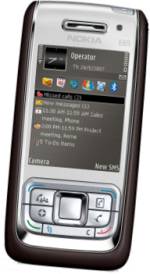
Headline: Quad-band, 3G phone and a 2 megapixel camera. With Wi-fi, USB, Infrared and Bluetooth. Dimensions: 105 x 49 x 15.5mm Availability: NOW – free on o2 and Vodafone from MobileShop.
Also: The E65 is available on 3’s network, making use of fast 3G for services like Skype, Windows Live Instant Messenger, Mobile Mail, Sling Player (Watch your home TV from a Slingbox), Orb and eBay.
|
|
Headline: Quad-band, 3G phone and a 2 megapixel camera. With Wi-fi, USB and Bluetooth. Supports corporate email services, including Visto, Seven and Blackberry. Dimensions: 117 mm x 53 mm x 22 mm Availability: NOW – free on Vodafone from MobileShop.
|
|
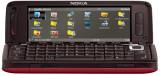
Headline: Replacement for Nokia 9500 communicator, this has a QWERTY keyboard and is a quad-band 3G phone. It has built-in GPS for satellite navigation and a 3.2 megapixel camera. With Wi-fi, USB and Bluetooth. Screen: Colour, 800 x 352 pixels Availability: Between Q2 and Q3 of 2007. See our Nokia E90 page for more |
FAQ
| Accessories? |
There’s |
| Email from your Series 60 phone |
If you’re looking to use your Series 60 phone for sending and receiving e-mail, consider taking out an account with free provider, BT Yahoo. For details of connectivity, see our Series 60 Getting Connected section. |
| How do I use WAP / What is ‘Services’? |
As well as a web browser, the Series 60 phone has a WAP browser, which can be accessed via the Services menu. For details of Wap on a Series 60 phone, and using WAP, see our Series 60 WAP page |
We have the answer to lots more Series 60 questions on our Series 60 FAQ
Links
- For help with the above phones, see our Series 60 FAQ or our Series 60 Connection pages
Want to talk about
these phones? Please use our forum, or leave a message on our Podcast Podline 0208 133 4567
